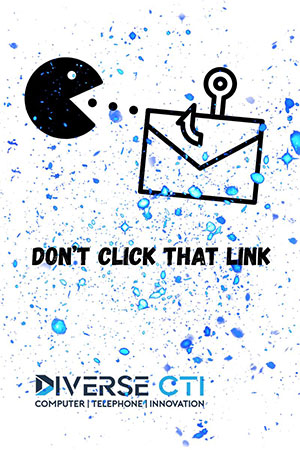
 Social engineering attacks are on the rise, and they’re getting trickier by the day. Whether it’s a fake email, a shady phone call, or a too-good-to-be-true text message, cybercriminals are counting on human error to get access to your sensitive information.
Let’s break down the most common types of social engineering scams and talk about how to avoid getting caught in the net.
Phishing
What it is:
Phishing is a broad attack where scammers send fraudulent emails designed to look like they’re from a legitimate source, your bank, a vendor, Microsoft, etc. The goal? Get you to click a malicious link or download a file.
How to spot it:
- The email urges urgent action (“Your account will be locked!”).
- Sender’s email address looks “off” (e.g., support@rnicrosoft.com).
- Links don’t match the real website — hover to check before clicking.
- Poor grammar or spelling errors.
Smishing (SMS + Phishing)
What it is:
This one uses text messages instead of email. You’ll get a text that seems like it’s from Amazon, FedEx, your bank, or even a coworker.
How to spot it:
- The message contains a suspicious link.
- It asks for sensitive info (like a verification code or bank details).
- You weren’t expecting the message (e.g., “click here to claim your prize!”).
Vishing (Voice + Phishing)
What it is:
These are phone scams, often involving someone pretending to be from tech support, the IRS, or your credit card company. They may ask you to verify account details or allow remote access to your device.
How to spot it:
- Caller demands urgent action or payment.
- The number is spoofed or unknown.
- You’re asked to download software or give up passwords.
Spear Phishing
What it is:
This is phishing with precision. Instead of blasting a fake message to thousands, the attacker targets a specific person using information they’ve gathered (often from LinkedIn, social media, or data breaches).
How to spot it:
- The email is personalized (mentions your name, company, or role).
- It seems “familiar” — but slightly off.
- Requests involve money transfers, logins, or file downloads.
Whaling
What it is:
Whaling is like spear phishing, but aimed at high-value targets: executives, finance officers, and business owners. It often impersonates other execs or legal authorities to trick the victim into wiring funds or disclosing confidential info.
How to spot it:
- Spoofed email appears to come from the CEO or a vendor.
- Urgent requests for financial transactions or W-2s.
- Slightly altered domains (e.g., ceo@diverse-ctii.com instead of diversecti.com).
How to Stay Off the Hook
- Slow down. Scammers want you to act fast. Always pause and verify.
- Check the sender. Don’t trust the display name — check the full address or number.
- Don’t click links or download attachments unless you’re 100% sure you know it’s safe. When in doubt, contact the person directly or ask your IT team – see below.
- Use Multi-Factor Authentication (MFA). Even if your credentials are stolen, MFA helps block unauthorized access.
- Report it. Tell your IT team or MSP right away — especially if you clicked something.
Real Talk: One Click Can Cost You Everything
Cybercriminals are betting that someone in your company will take the bait. It only takes one click, one text, or one call to cause a major breach. Let’s not forget the downtime, data loss, and reputation damage that comes with it.
Want to stay ahead of the scams? Let Diverse CTI run a phishing simulation or security awareness training for your team. We’ll show you where the weak spots are, before the hackers do.